Unity-对象池

游戏开发,实现功能是基础,性能优化才是重点。

实际开发中会遇到很多类似的情况,同一个物体要创建很多个,比如背包中的Item、伤害飘字、子弹、怪物等。像这种情况,如果初始化的时候一次性全部创建出来,难免会发生卡顿的情况,常见的是背包打开界面的时候发生卡顿。

通常这种情况,大家都会想到,在进游戏的时候预先加载出来一部分Item,只是隐藏掉(或者移动它的位置),在使用的时候再拿出来,这样避免了一次性创建很多造成的卡顿。

还有一种情况是,频繁的创建销毁物体,导致性能消耗很大,这个时候我们的思路是,第一次使用的时候创建,不用的时候缓存下来,而不是直接销毁(可以隐藏),这样再次使用就可以直接去拿了。

对象池(零)

简单的对象池

这个在UI 模块中我经常使用,用于同一个物体多次创建销毁的情况,避免刷新数据的时候频繁创建,看一下代码吧

单一对象池的构建

1
2
3
4
5
6
7
8
9
10
11
12
13
14
15
16
17
18
19
List<GameObject> _objList = new List<GameObject>();
GameObject ObjPool()
{
GameObject obj = null;
for (int i = 0; i < _objList.Count; i++)
{
if (!_objList[i].activeSelf)
{
_objList[i].SetActive(true);
return _objList[i];
}
}
obj = Instantiate(item) as GameObject;
obj.transform.localPosition = Vector3.zero;
obj.transform.SetParent(transform);
obj.SetActive(true);
_objList.Add(obj);
return obj;
}

代码很简单,就是遍历列表,有隐藏的对象就拿出来使用,没有隐藏的(对象池内都是活跃状态)就再创建,这种情况在刷新界面数据的时候避免全部销毁,再创建的消耗。

使用对象池

在使用之前需要先将列表中的对象全部隐藏,然后再去获取

1
_objList.ForEach((item)=>{item.SetActive(false);});

这是简单的对象池,但是有很大的缺点,就是不能缓存多个物体,如果想缓存多类对象的话就得多写几个这种方法,很费劲,还有就是 不方便预缓存对象,那么接下来,今天的重头戏来了

对象池(一)

前几天的时候在网上找到了一个封装好的对象池,这里拿来和大家分享

先放出地址RecyclerKit

简单说一下这个工具,代码很简单也很少,除去它自带的Demo只有三个脚本,其中还有一个是Editor,也就不到一千行代码,但是功能还算是很强大了

优点

  • 预加载缓存
  • 定期销毁缓存对象
  • 运行时预加载(已加载对象数量不够的时候一次加载多个)
  • 支持多类对象的缓存
  • 使用方便,代码简短,方便封装

使用

它的入口是TrashMan这个类,这个类里会缓存多个TrashManRecycleBin

而TrashManRecycleBin里会有很多个对象,这里是指的同一个TrashManRecycleBin里存的是同一种对象,然后根据对象预设的InstanceID来存储

TrashMan 可以根据预设的对象来获取对象池的item,也可以根据预设的名字获取,方法是:

1
2
3
4
5
6
7
8
9
10
11
12
13
14
15
16
17
18
19
20
21
22
23
24
25
26
27
28
29
30
31
32
33
34
35
36
37
38
39
40
41
42
43
44
45
46
47
48
49
50
51
52
53
54
55
56
57
58
59
60
61
62
63
64
65
66
67
68
69
70
71
72
73
74
75
76
77
78
79
80
81
82
83
84
85
86

/// <summary>
/// pulls an object out of the recycle bin using the bin's name
/// </summary>
public static GameObject spawn( string gameObjectName, Vector3 position = default( Vector3 ), Quaternion rotation = default( Quaternion ) )
{
int instanceId = -1;
if( instance._poolNameToInstanceId.TryGetValue( gameObjectName, out instanceId ) )
{
return spawn( instanceId, position, rotation );
}
else
{
Debug.LogError( "attempted to spawn a GameObject from recycle bin (" + gameObjectName + ") but there is no recycle bin setup for it" );
return null;
}
}

/// <summary>
/// internal method that actually does the work of grabbing the item from the bin and returning it
/// </summary>
/// <param name="gameObjectInstanceId">Game object instance identifier.</param>
static GameObject spawn( int gameObjectInstanceId, Vector3 position, Quaternion rotation )
{
if( instance._instanceIdToRecycleBin.ContainsKey( gameObjectInstanceId ) )
{
var newGo = instance._instanceIdToRecycleBin[gameObjectInstanceId].spawn();

if( newGo != null )
{
var newTransform = newGo.transform;

if( newTransform as RectTransform )
newTransform.SetParent( null, false );
else
newTransform.parent = null;

newTransform.position = position;
newTransform.rotation = rotation;

newGo.SetActive( true );
}

return newGo;
}

return null;
}

/// <summary>
/// pulls an object out of the recycle bin
/// </summary>
/// <param name="go">Go.</param>
public static GameObject spawn( GameObject go, Vector3 position = default( Vector3 ), Quaternion rotation = default( Quaternion ) )
{
if( instance._instanceIdToRecycleBin.ContainsKey( go.GetInstanceID() ) )
{
return spawn( go.GetInstanceID(), position, rotation );
}
else
{
if (go == null) {
Debug.LogError("Spawn go is null");
return null;
}
//这里是我改的 处理直接去获取一个没有缓存的对象的时候,先加进缓存池中
var recycleBin = new TrashManRecycleBin();
recycleBin.prefab = go;
recycleBin.instancesToPreallocate = 1;
recycleBin.cullInterval = 0;
recycleBin.persistBetweenScenes = false;
manageRecycleBin(recycleBin);
return spawn(go.GetInstanceID(), position, rotation);
//---------------------
// 以下是原来的代码
//Debug.LogWarning( "attempted to spawn go (" + go.name + ") but there is no recycle bin setup for it. Falling back to Instantiate" );
//var newGo = GameObject.Instantiate( go, position, rotation ) as GameObject;

// if( newGo.transform as RectTransform != null )
// newGo.transform.SetParent( null, false );
// else
// newGo.transform.parent = null;

//return newGo;
}
}

这个三个方法都可以 ,看那个方便就使用哪个。

这里我封装了一个 PoolUtil类,包括 预缓存,和获取、销毁,代码直接贴出来

1
2
3
4
5
6
7
8
9
10
11
12
13
14
15
16
17
18
19
20
21
22
23
24
25
26
27
28
29
30
31
32
33
34
35
36
37
38
39
40
41
42
43
44
45
46
47
48
49
50
51
52
53
54
55
56
57
58
59
60
using System.Collections;
using System.Collections.Generic;
using UnityEngine;
using UnityEngine.Assertions;

public class PoolUtil {

/// <summary>
/// 初始化 对象池 预缓存 数据对象
/// </summary>
/// <param name="obj"></param>
/// <param name="instancesToPreallocate"></param>
/// <param name="intancesToMaintainInPool"></param>
/// <param name="instancesToAllocateIfEmpty"> </param>
/// <param name="hardLimit"></param>
/// <param name="cullInterval"> </param>
public static void PreloadRecycleBin(GameObject obj, int instancesToPreallocate, int instancesToMaintainInPool = 10, int instancesToAllocateIfEmpty = 4,int hardLimit = 30 , int cullInterval = 6) {
Assert.IsFalse(CheckHasSpawnerGameObject(obj.name));
Assert.IsTrue(instancesToMaintainInPool > instancesToPreallocate);
Debug.LogError("@@@@@@@@@@@@@@@");
var recycleBin = new TrashManRecycleBin();
recycleBin.prefab = obj;
recycleBin.instancesToPreallocate = instancesToPreallocate;
recycleBin.instancesToMaintainInPool = instancesToMaintainInPool;
recycleBin.instancesToAllocateIfEmpty = instancesToAllocateIfEmpty;
recycleBin.cullExcessPrefabs = true;
recycleBin.cullInterval = cullInterval;
recycleBin.hardLimit = hardLimit;
recycleBin.persistBetweenScenes = false;
TrashMan.manageRecycleBin(recycleBin);
}

public static bool CheckHasSpawnerGameObject(string objName) {
return TrashMan.recycleBinForGameObjectName(objName) != null;
}

/// <summary>
///
/// </summary>
/// <param name="objName"></param>
/// <returns></returns>
public static GameObject SpawnerGameObject(string objName) {
return TrashMan.spawn(objName);
}

public static GameObject SpawnerGameObject(GameObject obj) {
return TrashMan.spawn(obj);
}

public static GameObject SpawnerGameObject(GameObject obj, Vector3 pos, Quaternion rotation, Transform tf) {
GameObject go = TrashMan.spawn(obj, pos, rotation);
go.transform.SetParent(tf);
return go;
}

public static void Despawner(GameObject obj) {
TrashMan.despawn(obj);
}

}

小测试

我使用这个写了一个小测试,代码很简单就不贴出来了,就是随机时间生成Item,每个Item往上移动超出一定范围回收,直接看一下效果吧
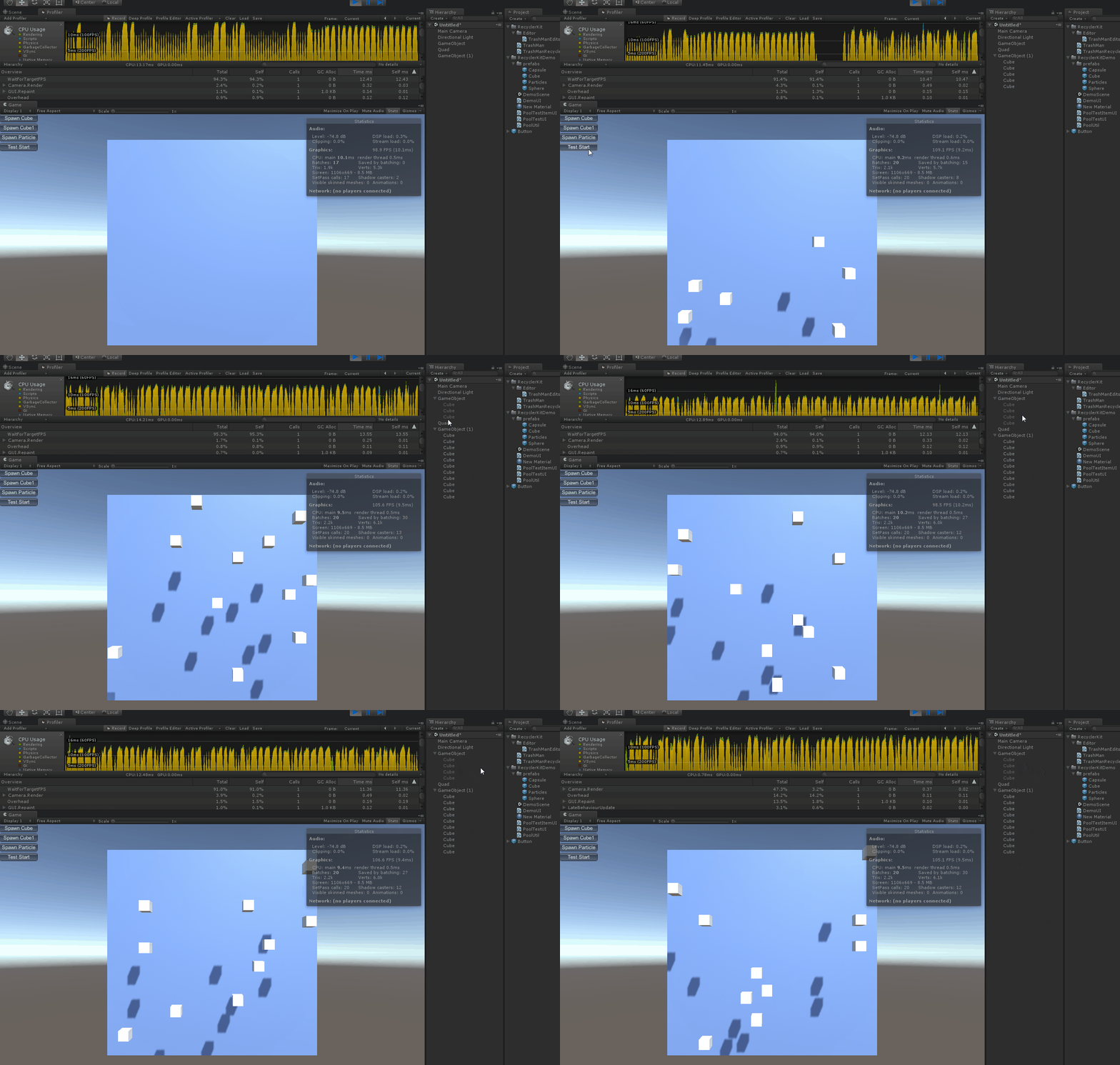
效果

总结

简洁、强大、易封装,使用起来也挺方便的。

对象池(二)

下面这个应该很多人都很熟悉了,PoolManager5 往上有很多对它的研究文章,我就不多说了,这个在Unity 商店是收费的,不过拿来测试 可以在往上找到破解版的,如果真正使用的话 还是建议支持正版

破解版地址 密码: a5ig

雨松MOMO也有对这个工具的研究文章 ,这里也贴出来

Unity3D研究院之初探PoolManager插件(七十四)

好东西就是应该拿出来分享的,哈哈,PoolManager5的文章往上一搜一大堆,有兴趣的自己找找吧。

最后

好久没发自己拍的照片了,哈哈前段时间去 浙江西塘 拍了一些照片,暂且发一张,毕竟这个一篇技术文章(脸皮厚)

西塘

坚持原创技术分享,您的支持将鼓励我继续创作!