Unity-射线检测点击的UI

前言

平时的开发中,创建出来的prefab往往会有很深的层级关系,当游戏运行的时候如果发生明明鼠标点击了,但是没有响应的情况往往会有两种情况

  • 脚本问题
  • 组件问题

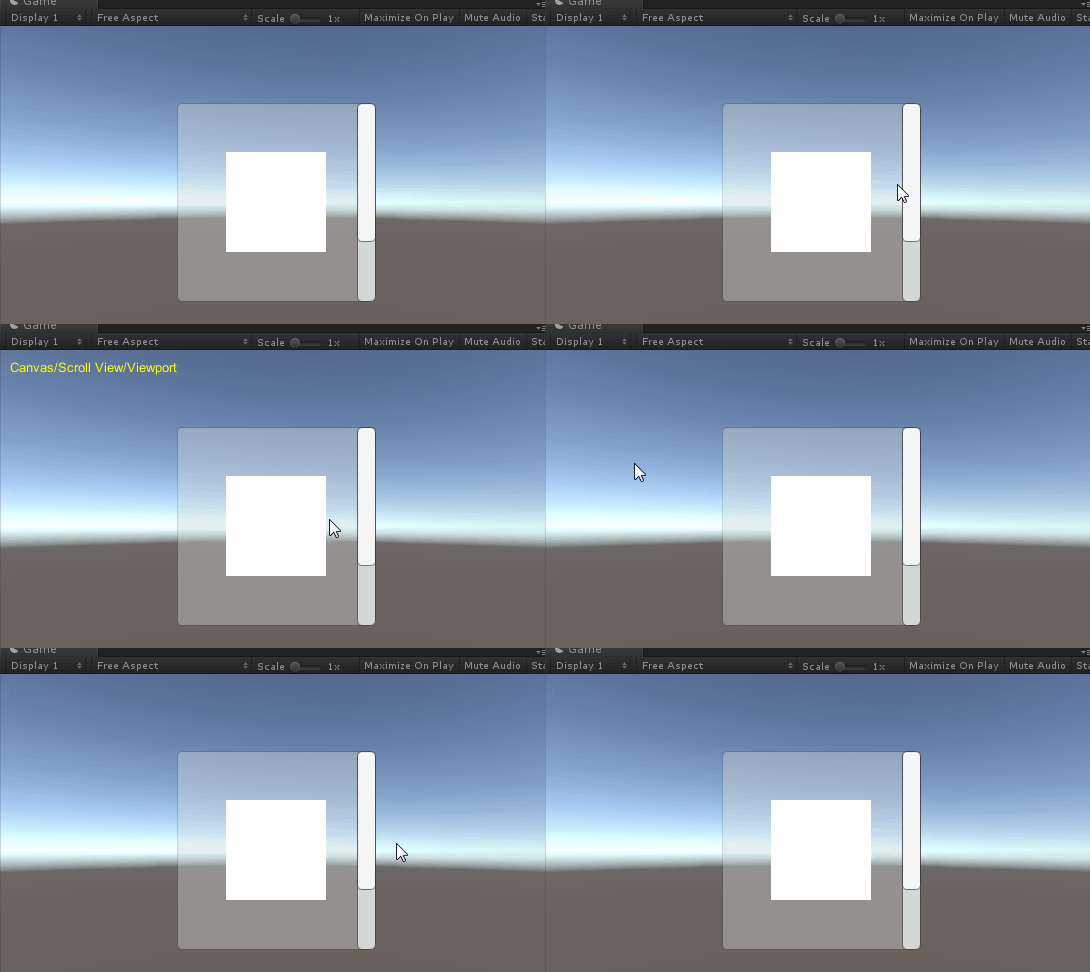
脚本问题自然需要我们去排查脚本,比如有没有关联,有没有处理点击事件等等,但是如果是组件问题比如目标层级,或者碰撞太小等,有的时候排查起来会比较费劲,所以写个小工具目的是,当鼠标放在ui 上时,显示出当前位置可以点击的ui名字和它的路径。


工具

  • Unity2017.2.0f3
  • VS2017

思路

  • 每帧获取鼠标的位置
  • 通过这个位置发射射线
  • 拿到射线检测的结果gameobject
  • 通过递归获得这个gameobject的路径
  • 显示在屏幕的左上角
  • 添加开关,把脚本绑定在Canvas上

代码

1
2
3
4
5
6
7
8
9
10
11
12
13
14
15
16
17
18
19
20
21
22
23
24
25
26
27
28
29
30
31
32
33
34
35
36
37
38
39
40
41
42
43
44
45
46
47
using UnityEngine;
using System.Collections.Generic;
using System;
using UnityEngine.EventSystems;
using UnityEngine.UI;

public class ClickUIPathTools : MonoBehaviour
{
string str = "";
public bool ShowUIRatcastLog = false;
public string GetObjPath(Transform t) {
if (t.parent == null ) {
return t.name;
}
else
{
return GetObjPath(t.parent) + "/" + t.name;
}
}

void OnGUI()
{
if (!ShowUIRatcastLog)
return;
GUIStyle gs = new GUIStyle();
gs.normal.textColor = new Color(1, 1, 0);
GUI.Label(new Rect(10, 10, 1000, 50), str , gs);
}

void Update()
{
if (!ShowUIRatcastLog)
return;
PointerEventData eventDataCurrentPosition = new PointerEventData(EventSystem.current);
//将点击位置的屏幕坐标赋值给点击事件
eventDataCurrentPosition.position = new Vector2(Input.mousePosition.x, Input.mousePosition.y);
List<RaycastResult> results = new List<RaycastResult>();
//向点击处发射射线
EventSystem.current.RaycastAll(eventDataCurrentPosition, results);
if (results.Count > 0) {
str = GetObjPath(results[0].gameObject.transform);
} else
{
str = "";
}
}
}

运行效果

运行效果


不知道说啥了凑字数

周五了,马上下班,这周更新了两篇博客,还可以,以后继续坚持,坚持做笔记,周末快乐!

坚持原创技术分享,您的支持将鼓励我继续创作!